
Tempo Zero Industry ADV: automatic import of payroll data into the ERP
Tempo Zero Industry ADV
Tempo Zero Industry ADV automates accounting management in payroll data entry within Microsoft Dynamics 365 Business Central, adding features to the ERP standard ones.
These automatisms make your people’s work fluid and without digitation errors.
The extension includes a feature that allows you to import the payroll accounting entry from a structured excel / csv file: the employee can upload the complex entry without having to re-enter it, thus saving time and avoiding errors.
These features have been added to others such as advanced data analysis with Power BI and mobile app-based warehouse management.
Pre-requisite: Tempo Zero Cloud

APP Microsoft certified
Available on
Microsoft AppSource marketplace
App developed by

Tempo Zero Industry ADV: features
IMPORT PAYROLL
Labour cost control
The costs of employees and collaborators are kept under control by the company on a monthly and annual basis.
These costs are determined by the specific items used by the individual company and the parameters are usually agreed upon with the labour consultants.
By filling in a special setup, it is possible to reclassify the parameters provided by the consultant, according to specific business needs.
Automatic acquisition of payroll data
To manage these data, the Business Central standard requires the manual entry of information and this needs time and a lot of attention to avoid mistakes in understanding and digitizing.
By using Tempo Zero INDUSTRY ADV these entries – instead of being handwritten – are automatically acquired in Business Central by simply feeding the Excel/CVS file that is made available.
Advanced Business Intelligence Analysis
This feature allows, thanks to a basic setup, the processing of individual data managed by the application to be enabled.
GENERAL DATA: customer, supplier and item details and how to fill in the description field (code, description, code…).
SALES DOCUMENTS: the different types of sales documents (offers, orders, shipments, invoices, credit notes, return orders) and the date from which the relevant data is extracted.
PURCHASE DOCUMENTS: the different types of purchase documents (offers, orders, receipts, invoices, credit notes, return orders) and the date from which the relevant data is drawn.
This feature also provides access to other setup functions, in particular those dedicated to configuring additional fields and transcoding codes.
Warehouse Mobile App and Packing List
Connector with Warehouse integrated into Business Central, allowing you to manage adjustments, reclassifications, packing lists and inventory directly from the mobile app on your smartphone or tablet.
Packing list management for both temporary warehouse shipments and registered shipments with related printouts.
A fundamental logistics document that lists the contents of a shipment in detail, specifying the quantity, weight, dimensions, and description of the goods. It has no fiscal value but is useful for managing, verifying, and tracking packages during transport, especially for international shipments.
Tempo Zero Industry ADV: screenshots
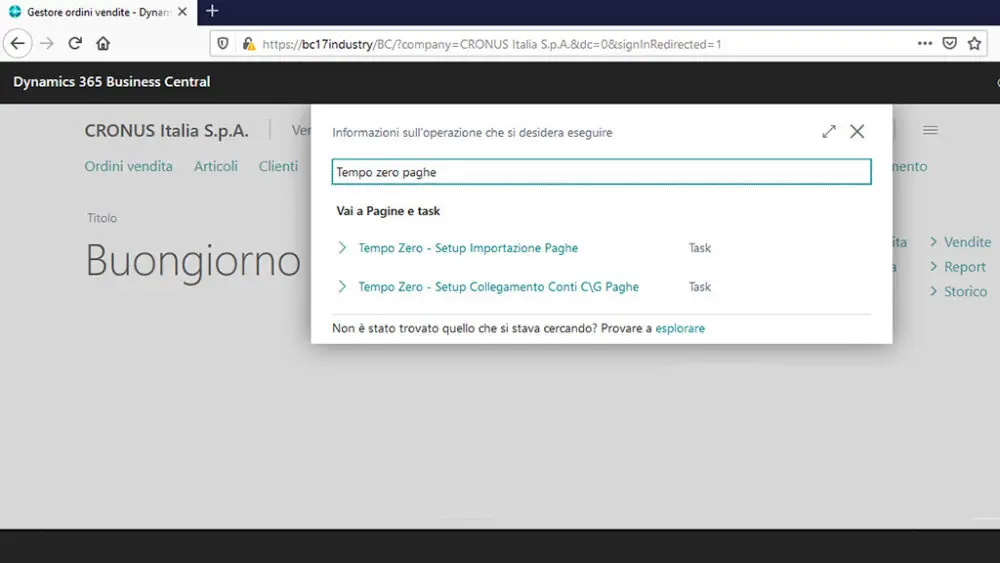
Payroll menu:
Menu items related to the payroll import featurehe
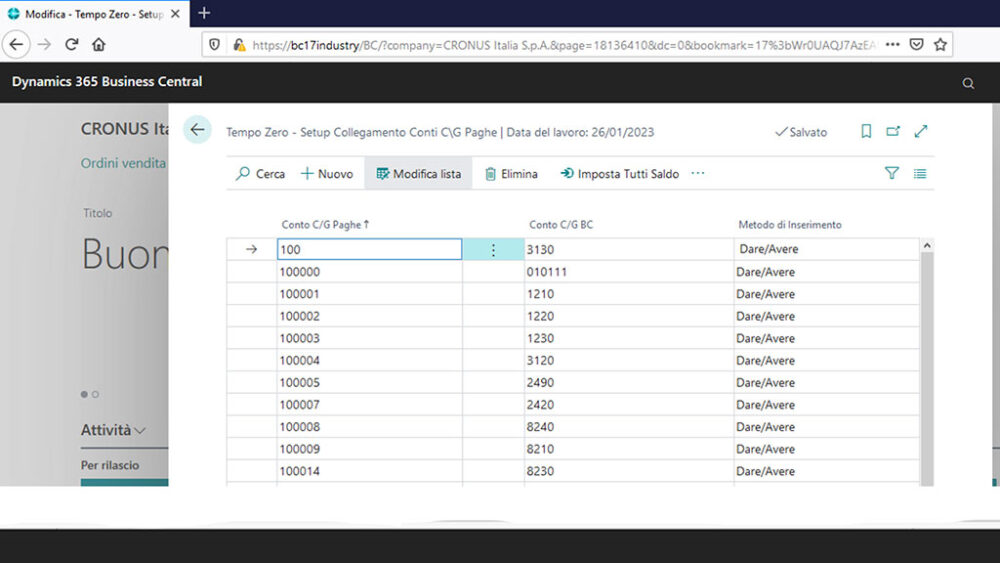
Setup page – linking consultant accounts to BC accounts
In this screen, the company indicates for each account used by the consultant which is the corresponding account in the entries in BC.
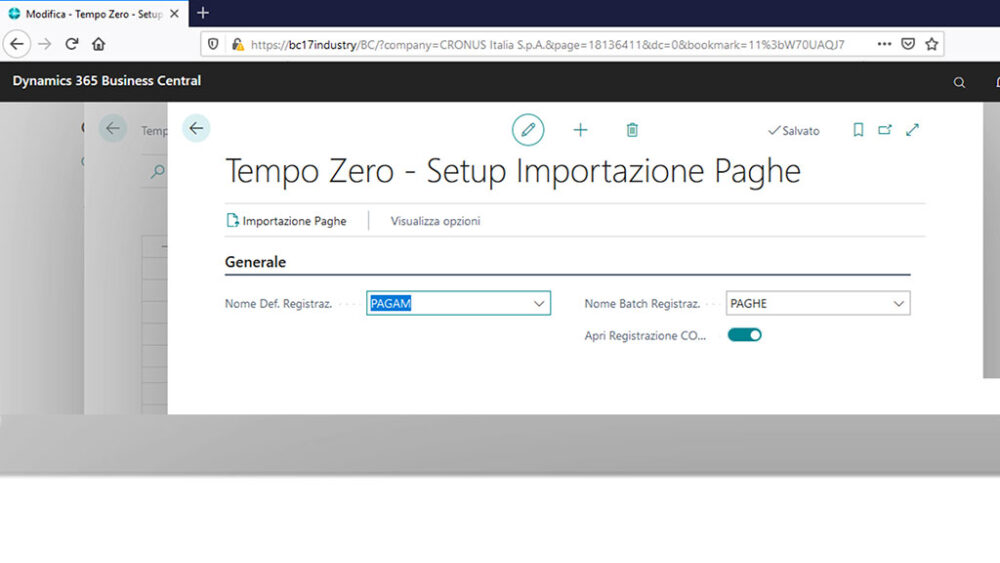
Setup of payroll import
Screen with the setup necessary for the importation of payrolls
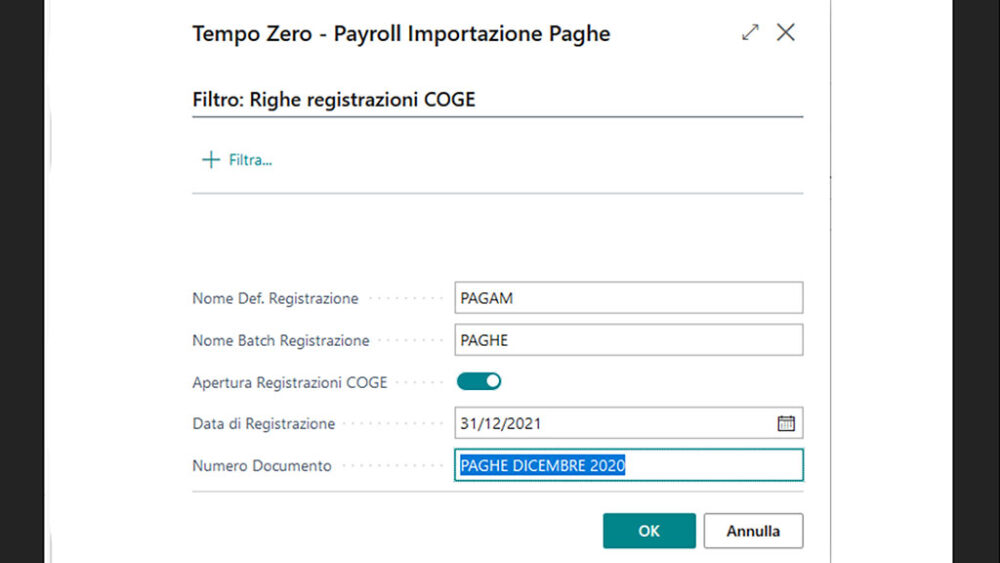
Payroll Import Page
This page shows the selection to be made in order to upload the XLS files
Payroll to be posted
List of entries uploaded and to be posted to confirm them in the general led

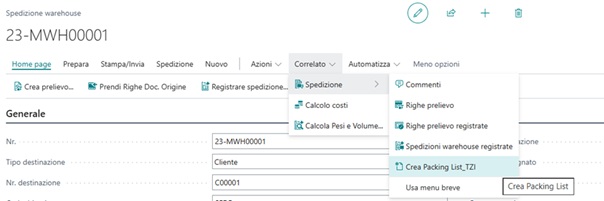
PACKING LIST from WAREHOUSE Shipments

CONTACT NAV-LAB
You will be contacted by our specialists in Microsoft ERP and the Tempo Zero suite of apps. Our consultants are available to provide insights on content, features, usage modes for the benefit of your company, and for a personalized demo.
ACTIVATE THE APP NOW
To activate the app, you need to contact NAV-lab for cost information and support regarding the download and implementation.
It’s also necessary to subscribe to the corresponding online service contract on a monthly or annual basis (SaaS – Software as a Service).
The service cost varies based on the number of users